Veterans Bank Online is better than ever! I can transact online anywhere using my mobile phone.
Veterans Bank Online: ATM inquiry is security proven!
I have just found out and discovered Bancnet’s Mobile Banking Facility with Philippine Veterans Bank as a member bank.
Just the usual routine when doing online transactions I rushed to check out the Bank Balance Inquiry Features, keyed in my ATM Card Number, Account Type – Savings Account, ATM Pin, and submit.
Related: How to apply for teacher loans at China Bank Savings
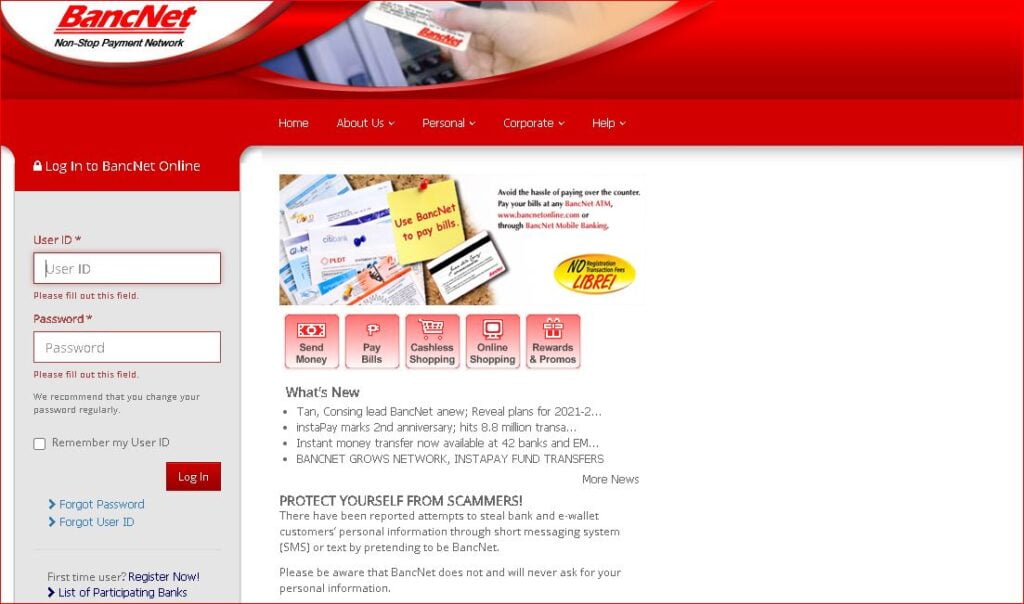
Step 1 – Veterans Bank Online, Chrome browser, and type in the URL address below:
Visit BancNet Online Payment Network
For first-time users, click the Register Now link.
Check the listed banks.
Proceed next, and agree on the online terms and conditions by ticking/checking the box “I Agree with the Terms and Conditions.
Create your unique User ID, follow on-screen instructions, and enter personal information, contact information, and confirmation.
Once everything is filled and satisfied, you’ll be sent an OTP code or verification code over your SMS mobile number/e-mail.
Step 2 – Veterans Bank Login online with your username
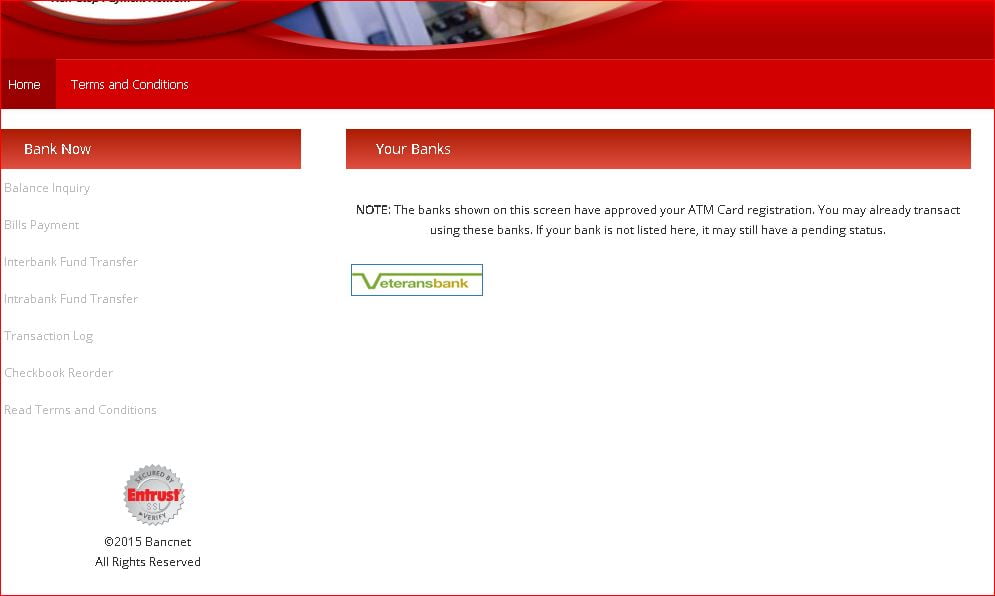
On the bank section click Veterans Bank.
Step 3 – Read the security message and continue

Step 4 – Veterans Bank Online Balance Inquiry

Key in your six-digit (6) PIN
Note:
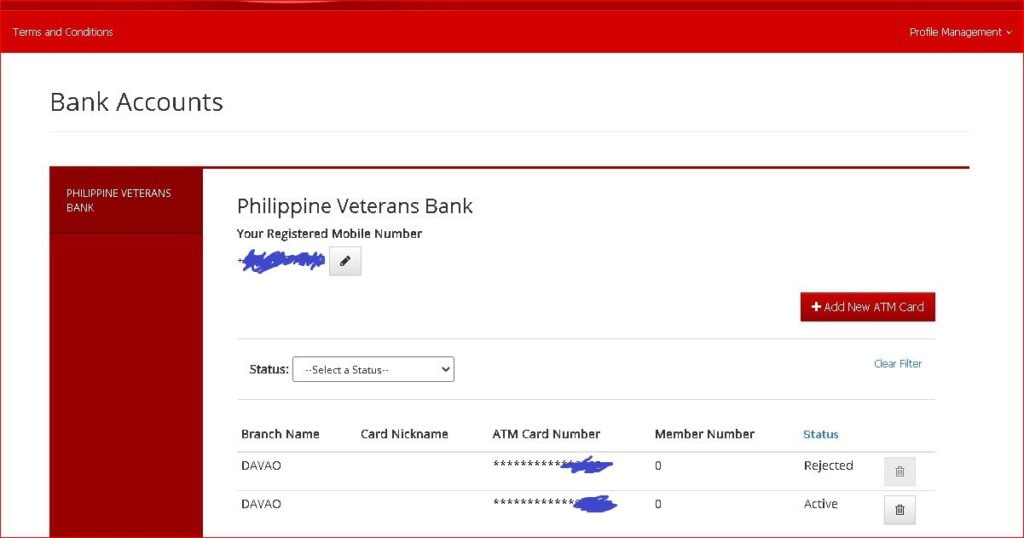
Before proceeding to Steps 3 to Step 4, make sure to add your ATM Card Number in the Profile Management.
Visit their Veterans Bank Page and send them a message about your concern, including your atm account details, username, email, and mobile contact number for verification.
Or send them an email message at [email protected] to have your ATM activated. Once everything has satisfactorily complied you can now inquire at atm bank balance inquiry online.
Related: China Bank Savings Teacher Loans
The Good News – is Christmas Bonus for Teachers is credited to my account.
These online banking features are very useful to clients and teachers, etc. who wish to transact online without the hassles of going to atm machines in far-flung areas, saving money on fares, and bank inquiry fees.
Check out your Veterans Bank Saving Account Balance by logging the BancNet Online.
Thank You Bancnet Online and Veterans Bank.
About Bancnet Online
BancNet was the first and is now, the largest Automated Teller Machine (ATM) consortium in the Philippines.
The first multi-bank, multi-channel electronic payment network in the country.
BancNet Online is a reliable and secure Multi-Bank Payment Gateway for handling financial services.
A secure banking channel connected to the existing BancNet ATM Switch network accepts secure financial transactions originating from non-traditional channels such as personal computers, and mobile phones.
BancNet Online is now equipped with two-factor authentication, making transactions more secure. New functions are also available so you can manage your BancNet Online account and register more ATM cards. We also added and updated the content of several pages.
Changes:
- Login using a User ID and password is now required
- Only ATM cards approved by your banks can be used to transact
- Financial transactions now require an input of a One-Time Password (OTP)
- New features: access retrieval and profile management functions
- New pages and content updates
Note that only cardholders of banks which participated in our initial launch will be able to transact.
BancNet ATM card pays any of the following:
- BancNet website
- Merchant / Biller website
- BancNet Member Bank website
- BancNet-accredited website
Transactions Using BancNet Online
- Balance Inquiry
- Bills Payment
- Fund Transfers
- Prepaid Reloading (Cellphones plans / Internet Access)
- eShopping. Merchant website purchasing
- Transaction Log. Payment and purchases
- Checkbook Reorder
In keeping abreast with the evolving needs of bank clients, BancNet has introduced several innovations that have transformed the ATM card into a multifunction debit card.
Cash Withdrawal and Inquiry Service
Like the traditional cash withdrawal, and balance inquiry service.
The BancNet Payment Network provides a wide range of services available through the ATM machine such as:
Bills Payment, Checkbook Request, Credit Card Cash Advance, Intra/Inter Bank Funds Transfer, Prepaid Phone Reload.
Through interconnection with other ATM consortia in the country, Expressnet and Megalink, and international card networks VISA, Diners Club, Discover Card, JCB, and China Union Pay.
BancNet provides nationwide access to their accounts with worldwide convenience as well.
Widest ATM coverage
BancNet was the first and is now, the largest Automated Teller Machine Consortium (ATM) in the Philippines.
The first multi-bank, multi-channel electronic payment network in the country.
A multi-channel payment gateway, BancNet enables its customers to transact.
ATM anywhere, anytime, performs business transactions such sd point-of-sale (P.O.S.), the Internet, or through mobile phones.
With a cloud-hosted virtual desktop from CloudDesktopOnline.com, you can work as you travel. Get Office 365 with excellent support from O365CloudExperts.com.
Aside from the traditional cash withdrawal service.
BancNet provides a range of online banking services through different secure banking channels.
Services include; atm balance inquiries, checkbook orders, and statement requests.
Interbank fund transfer, payment of bills, prepaid phone, and Internet reloading.
Payments and Purchases
Payment of purchases by direct debit to an account, remittance of taxes, Philhealth and Social Security System contribution, and loan repayments.
Through interconnection with the other ATM consortia in the country- Expressnet and Megalink, and international ATM and P.O.S. networks Diners Club, Discover Card, JCB, MasterCard, Union Pay, and VISA.
BancNet provides cardholders the widest nationwide access to their accounts worldwide convenience as well.
Secure payment delivery
BancNet is the leading electronic network for the excellent and secure delivery of financial and related services for member institutions, affiliates, and customers locally and globally.
We accomplish this through values-driven human resources, outstanding corporate governance, synergy, and the best utilization of technology.
Try this for free, at no additional costs required.
Related:
- EastWest teacher loan Apply for a teacher loan.
- China Bank Savings loans with free life insurance
Note:
The PVB ATM Card may expire at some point, contact and go to your nearest Philippine Veterans Bank branch for replacement, and bring 2 valid identification (ID) cards with your current address, 3 pieces 1 x 1 ID Colored Pictures, and pay PHP 100.00. When your atm card is near expiration or expired you cannot use the online banking facility, the old pin won’t work at all.

Leave a Reply