More intuitive computing experiences with Lenovo’s Windows 10 upgrade
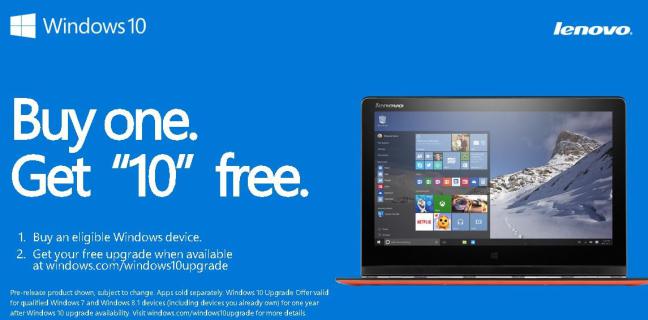
Lenovo has announced it will begin shipping a wide selection of products loaded with Windows 10 starting immediately. Lenovo has an extensive list of products eligible for this upgrade including popular models like the YOGA 3 Pro and YOGA 500. Lenovo customers can check here for their product’s eligibility.
Convertibles, laptops, tablets and desktops loaded with easy and free upgrade for Windows 7 SP1 and 8.1 users.
New versions of Lenovo Companion and Settings included to help users get the most out of their device plus exclusive Lenovo REACHit and Cortana integration for enhanced contextual search coming soon
Lenovo has worked with Microsoft Corp. to make the process of upgrading simple, for people with qualified Lenovo PC running Windows 7 SP1 or 8.1 to upgrade to Windows 10. Beginning 29 July, the updates will roll out. If a user has reserved a copy of Windows 10, he/she will be notified once the compatibility process confirms that the user will have a great experience, and Windows 10 has been downloaded on their system.
“Lenovo is very confident about its long-term success as a global technology leader and we plan to uphold this by refining users’ computing experience. Banking on our synergy with Microsoft and the Windows 10 upgrade, which includes enhanced applications and intuitive features such as REACHit integrated with Cortana, we hope to improve users’ connectivity and productivity while keeping things simple and personal,” said Michael Ngan, Country General Manager, Lenovo Philippines.
Lenovo Apps Enhance Windows 10 Experience
To give users consistent experiences across devices and operating systems, the preloads include a suite of Lenovo-written applications. The new Lenovo Companion 3.0 optimization tool keeps devices running at peak performance and can be used at any time to run a full-scale checkup and report back with specific actions to free up space and speed up the device.
As a “smart” device control hub, the new Lenovo Settings lets users easily adapt and modify the way their device behaves. For example, when in tablet mode, the product will customize its display and other settings based on its orientation versus in traditional laptop mode. Alternatively, the device’s usage will also alter its settings, for example when watching a movie versus reading an e-book.
With SHAREit, customers can quickly transfer files between devices. For tablet users WRITEit takes the pen to a new level of functionality allowing users to write in any input field with their pen and the handwriting is converted to text.
As announced at Tech World in May, Lenovo and Microsoft have worked to integrate Cortana and REACHit, Lenovo’s groundbreaking app that allows users who opt-in to search for and manage their content across multiple devices and cloud storage platforms. With REACHit, Cortana becomes even smarter and more personal, enabling users to find their content such as emails, photos and videos in ways they never thought possible. Cortana and REACHit gives users a seamless, intuitive way to search through natural language and contextual understanding.
This functionality will be available in beta to Lenovo users starting October. Users who prefer to wait will have their current version of REACHit automatically upgraded when it becomes generally available later in the year. Pre-loaded devices will also be available immediately.
